Product Oct 7, 2026
AuraLock Assistant: What It Can and Cannot Do
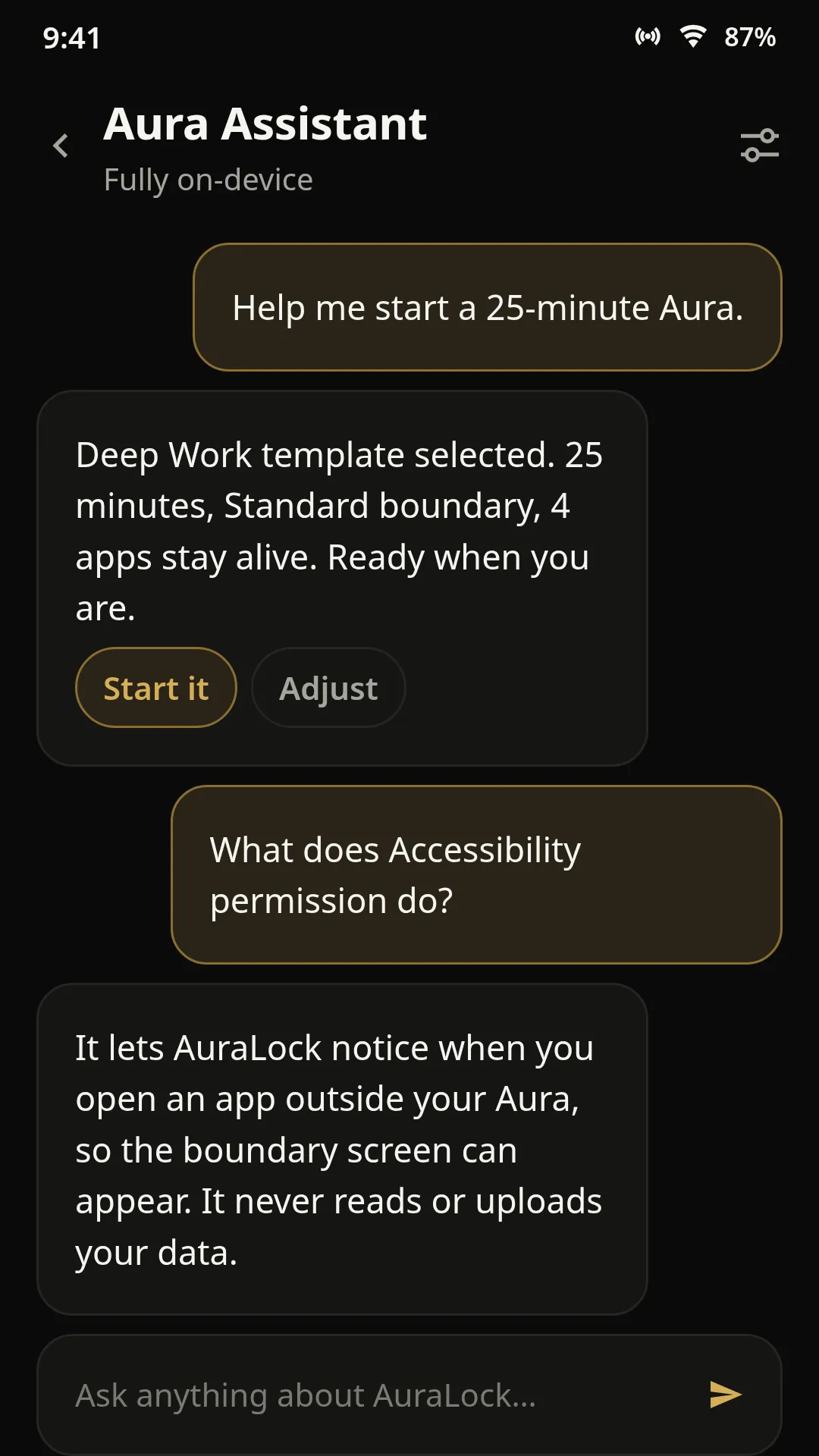
Aura Assistant is a conversational helper inside AuraLock — fully on-device, no cloud AI. Here is what it actually does and where it stops.
Read articleAuraLock is a free Android focus app. Choose the few apps you need — notes, calendar, music — and everything else stays locked until your session ends. No account. Nothing leaves your phone.

YOUR AURA
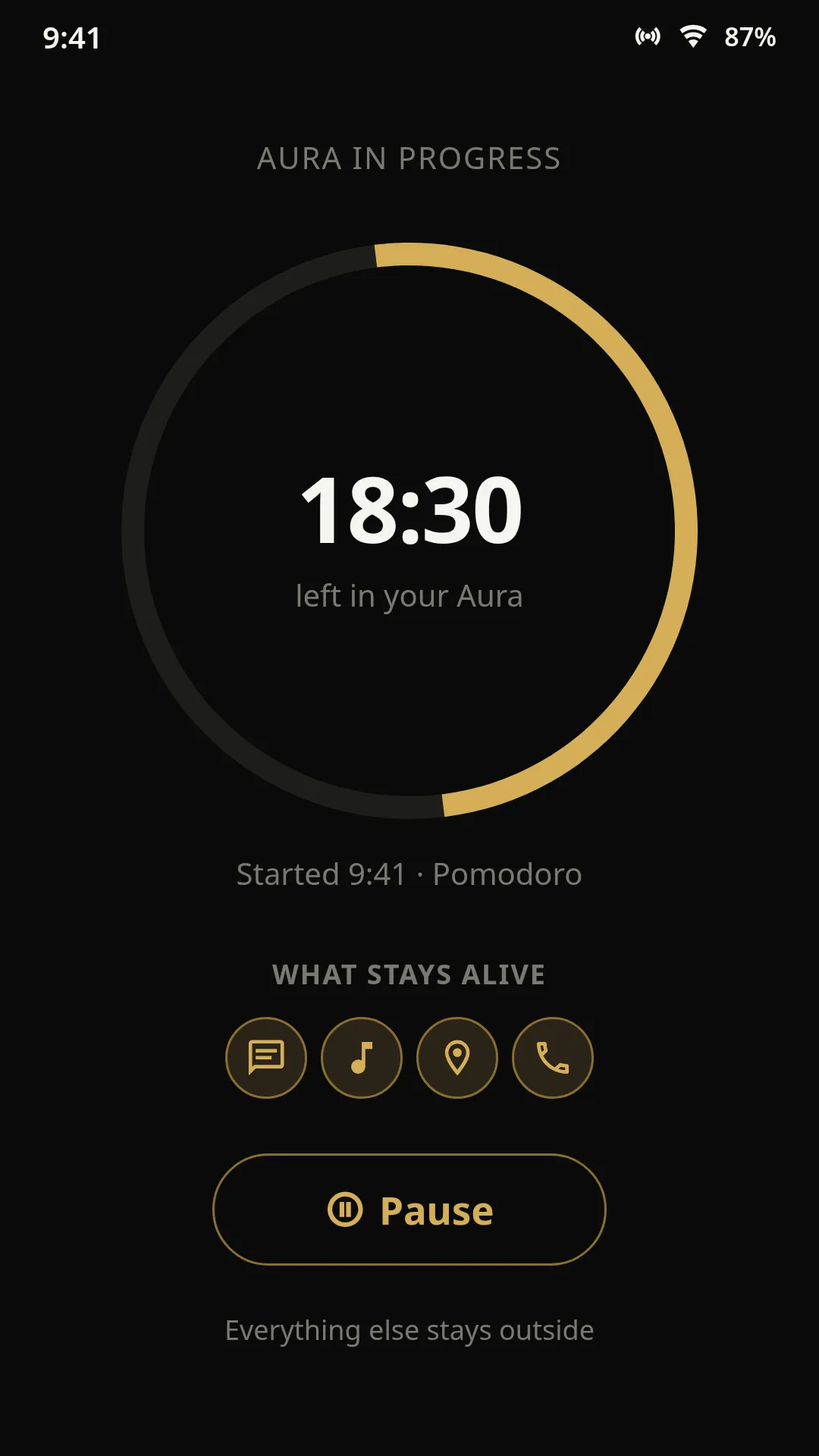
FOCUSING
Everything else waits outside
59:48
WHAT STAYS ALIVE
Only the apps you chose. Everything else waits outside.
Every notification is engineered to pull you back. Every feed is built to keep you scrolling. Your phone knows exactly which buttons to press.
One buzz is enough to break deep focus — and every app is built to send one.
There is no natural stopping point. The next post is always one swipe away.
One glance at one app becomes twenty minutes before you look up.
You set a timer. You delete the app. You promise this time is different. Then one notification becomes twenty minutes of scrolling. The problem isn’t discipline. Your phone is built to pull you back.
AuraLock does not fight you. It protects the moments you chose — without asking you to be stronger than your phone.
The old way: block a list of distracting apps, then keep adding to it.
The AuraLock way: allow a short list of apps. Everything else is off by default.
You allow the few apps this moment needs — notes, calendar, music. Everything else is off by default.
A gentle edge for daily work, or a hard lock for exams and deadlines. You pick the boundary.
Deep Work is not Family Time, and it should not be. Each Aura is built around what you are doing right now.
No bloat — just tools that guard the moments you chose.
Allowlist, not blocklist. Pick the apps this moment needs. Every other app stays locked — and there is no list to maintain.
Standard when you need room to breathe, Strict when you cannot afford to break focus. Details live in the comparison below.
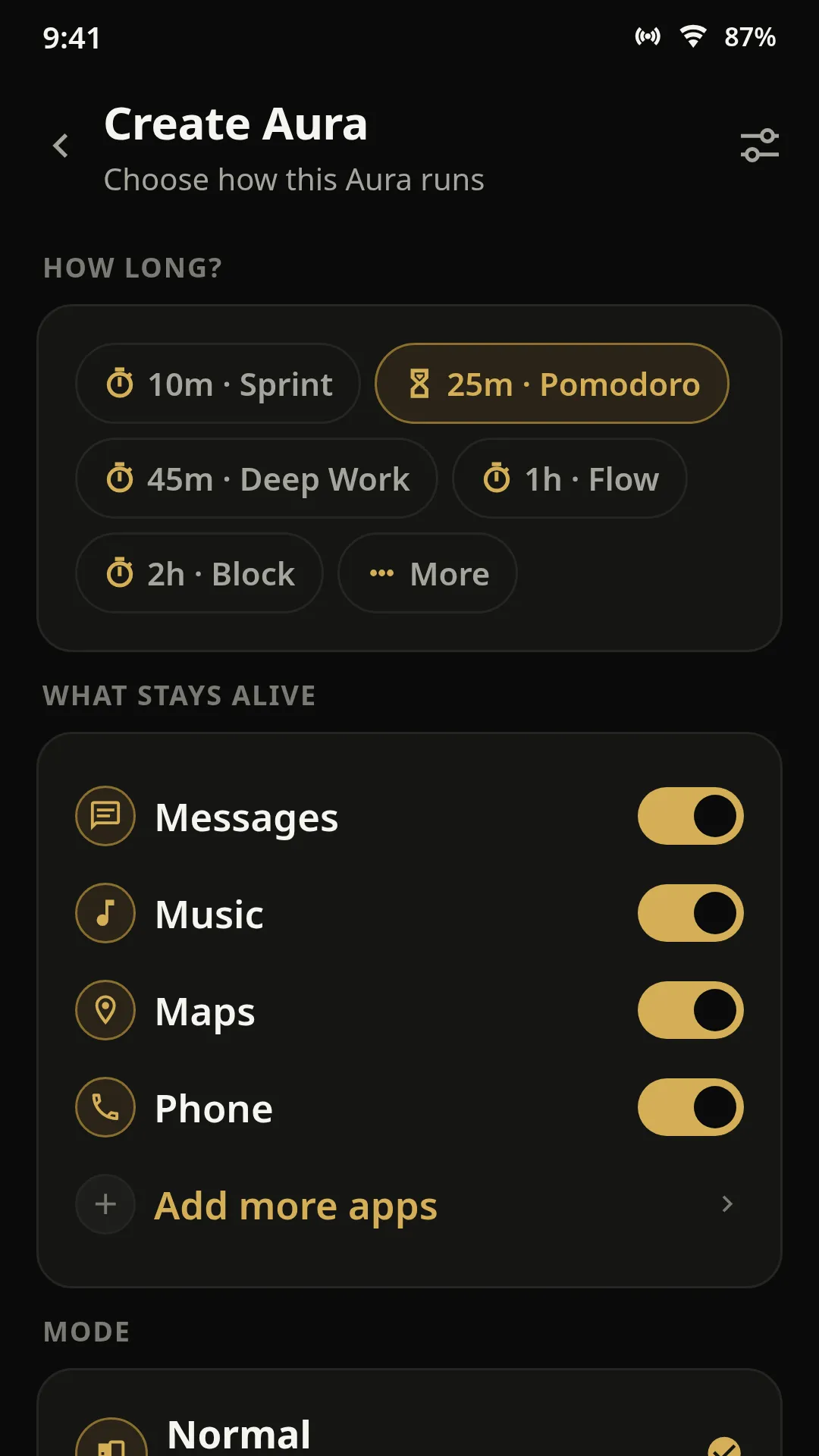
Sprint (10 min) · Pomodoro (25 min) · Deep Work (45 min) · Flow (60 min). A protected session in a single tap — before the urge to scroll even registers.
Set Deep Work to begin Mon–Fri at 9 a.m. and Sleep at 10 p.m. — the hours you say matter get protected without a tap.
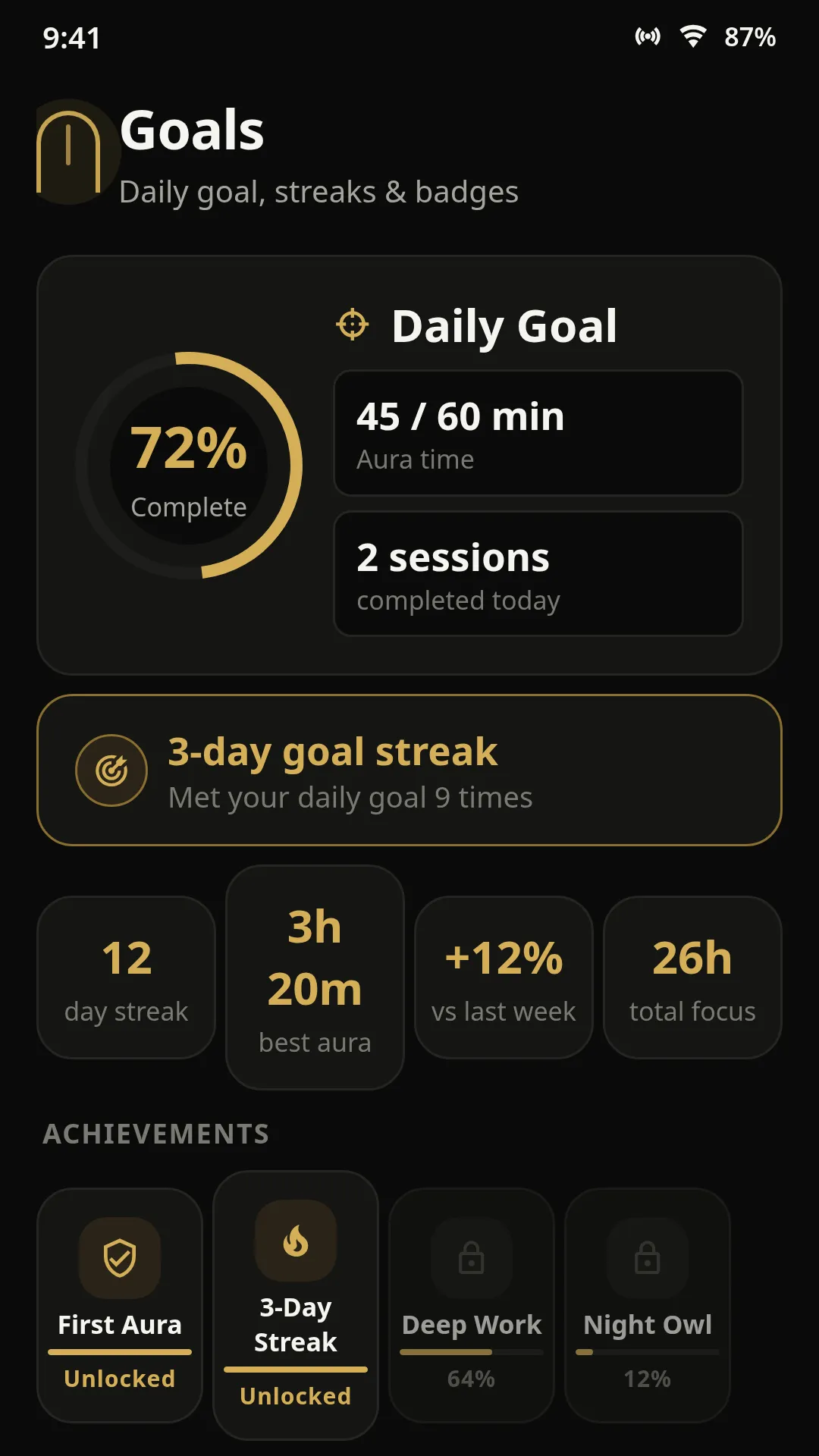
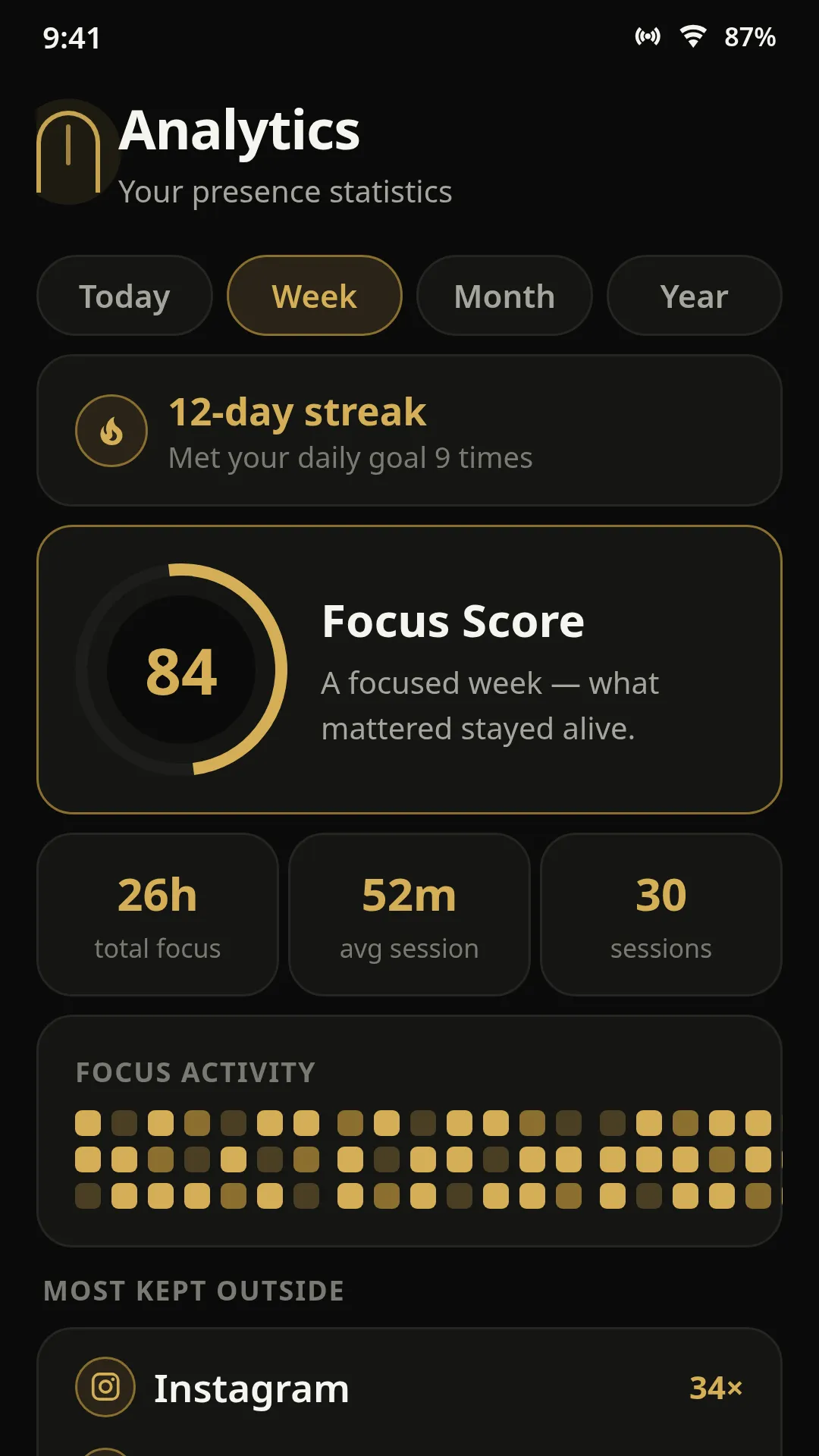
Hit a 2-hour daily goal, keep a 6-day streak with a one-line post-session note, and watch your Focus Score and weekly charts build — on-device analytics.
Stops Android from silently shutting AuraLock down in the background, so your Aura doesn’t drop mid-session.
Blocks distracting sites in Chrome and Firefox. Free, standalone, and its data stays on your device.
Learn moreThe free browser extension blocks distracting websites while you focus — choose what stays allowed and everything else waits outside. It works standalone in Chrome and Firefox: nothing syncs with the Android app, and its data stays on your device.
Learn how the extension works →

Every screen is built around your attention — not its interruptions. Walk through the app in the order you would actually use it.
Name the moment, pick the apps it needs, set the time — under a minute.
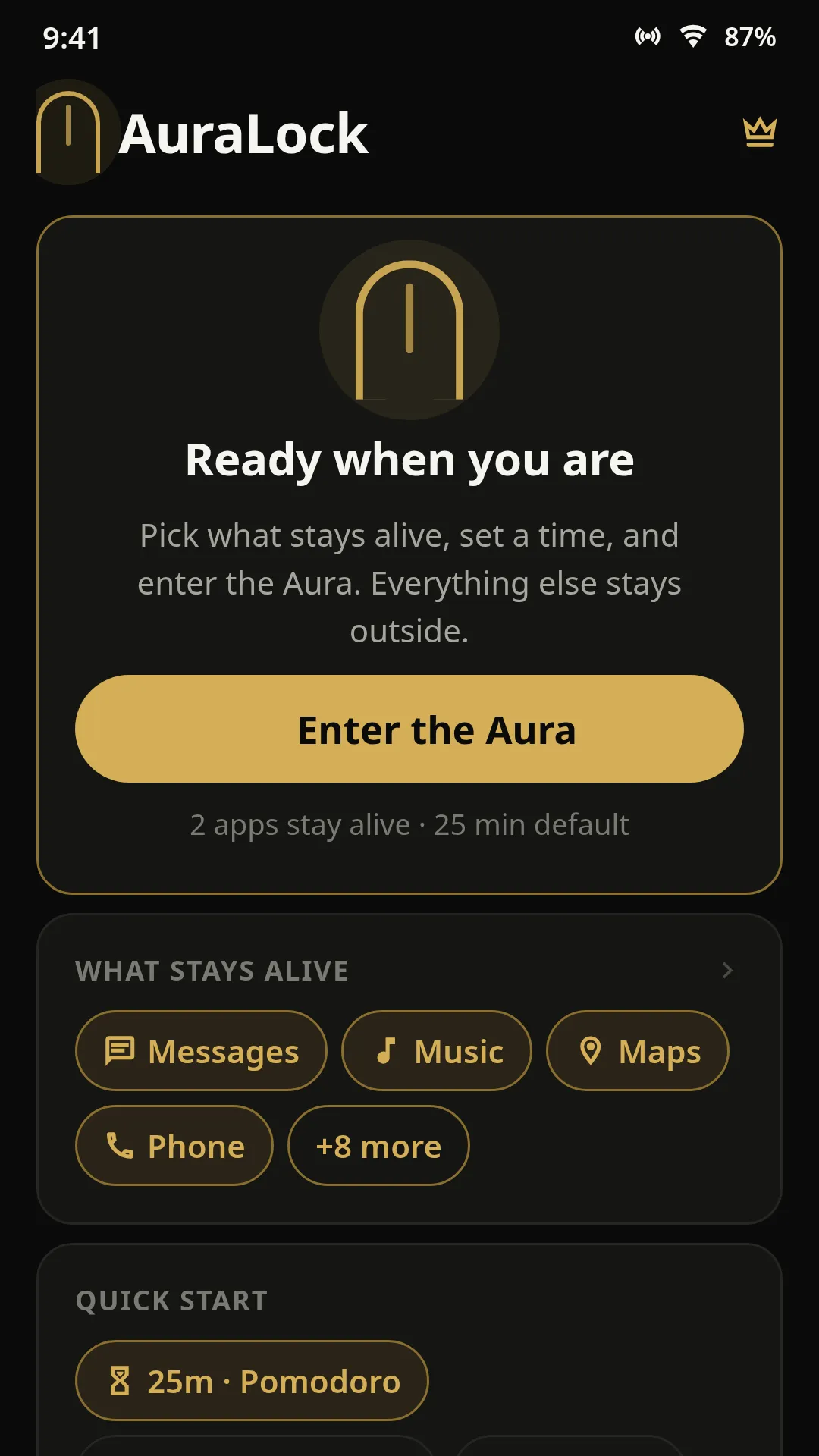
New Aura
Purpose, apps, boundary
No buried settings. No willpower required. Setup takes about a minute.
Deep Work. Study. Family Time. Health & Fitness. Personal Time — name what this hour is for, or invent your own.
Only the apps that actually support the moment. Notes. Calendar. Music. Everything else waits outside.
Standard when you need room to breathe. Strict when the moment cannot afford to lose you.
Tap Enter Aura. A timer starts and only your chosen apps open.
The question that makes focus effortless. You pick the apps for each moment; the app handles the rest.
Everything else waits outside — and any installed app can be added.
Try the real flow before you download. Pick a purpose, choose what stays alive, set the time — and watch the Aura come together.
0 apps selected
Demo apps — your real installed apps appear in AuraLock.
YOUR AURA
FOCUSING
Everything else waits outside
59:48
WHAT STAYS ALIVE
Once it is active, your phone quietly becomes the space you asked for. Only your chosen apps are reachable, and the timer keeps your promise visible.
This is not restriction. It is protection — so your attention stays yours.
Two boundaries, one choice. Match your boundary to what you are protecting.
For the moments you want a gentle edge. You stay on track and you still hold the wheel — including a way out if you genuinely need one.
Best for — Daily work, deep-work blocks and everyday focus.
For the moments you cannot afford to lose. The boundary holds with no way out until the exact time you set.
Best for — Exams, deadlines and any session you cannot walk away from.
Not sure? 10-second matcher
1 · Mid-session, you need to pause for a call. You want…
AuraLock helps you shape different moments of your day around what matters — not just long focus blocks.
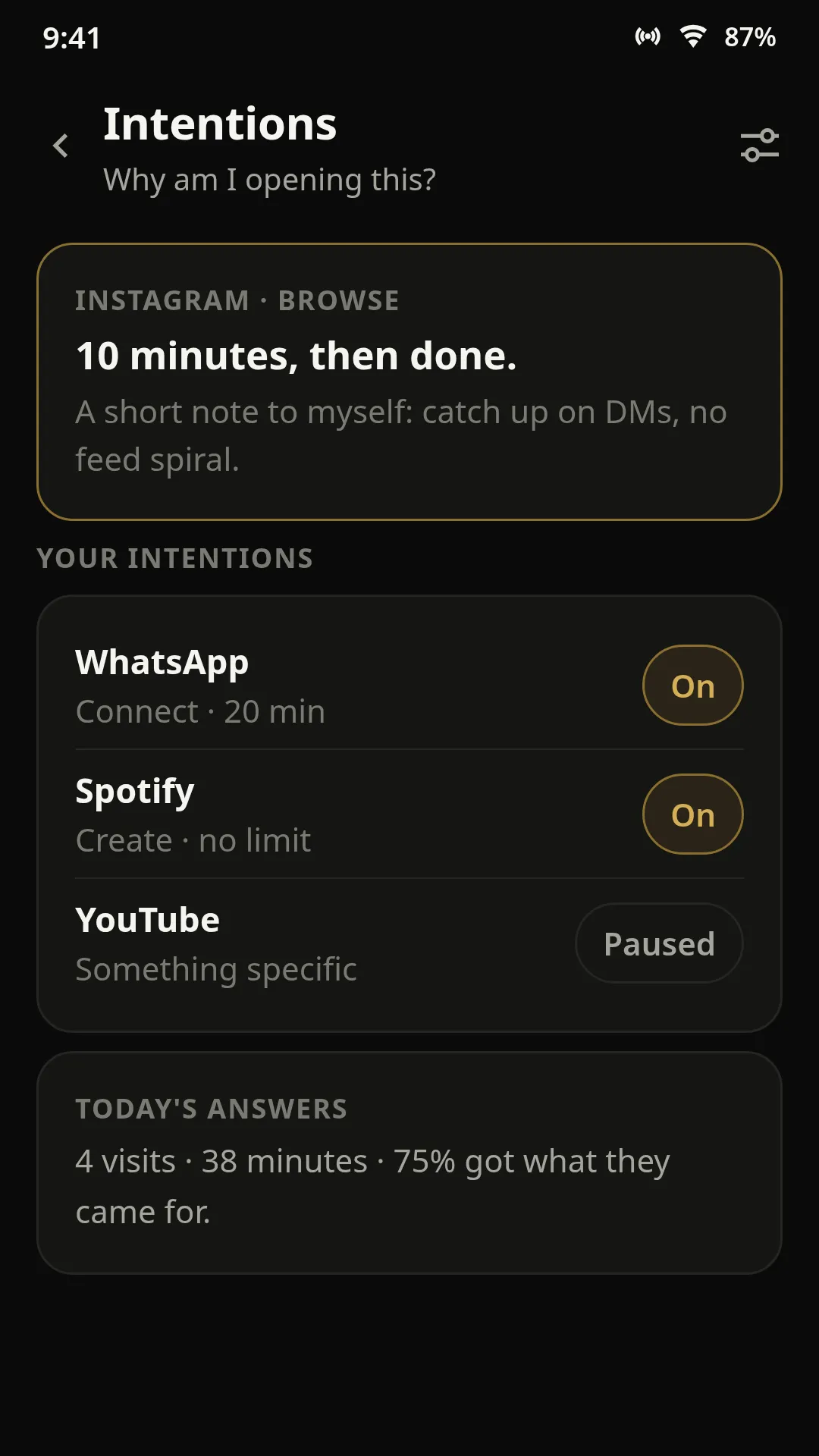
Opening Instagram? First it asks “why?” — pick connect, create or browse, set a 10-minute visit, and it checks back when you’re done.
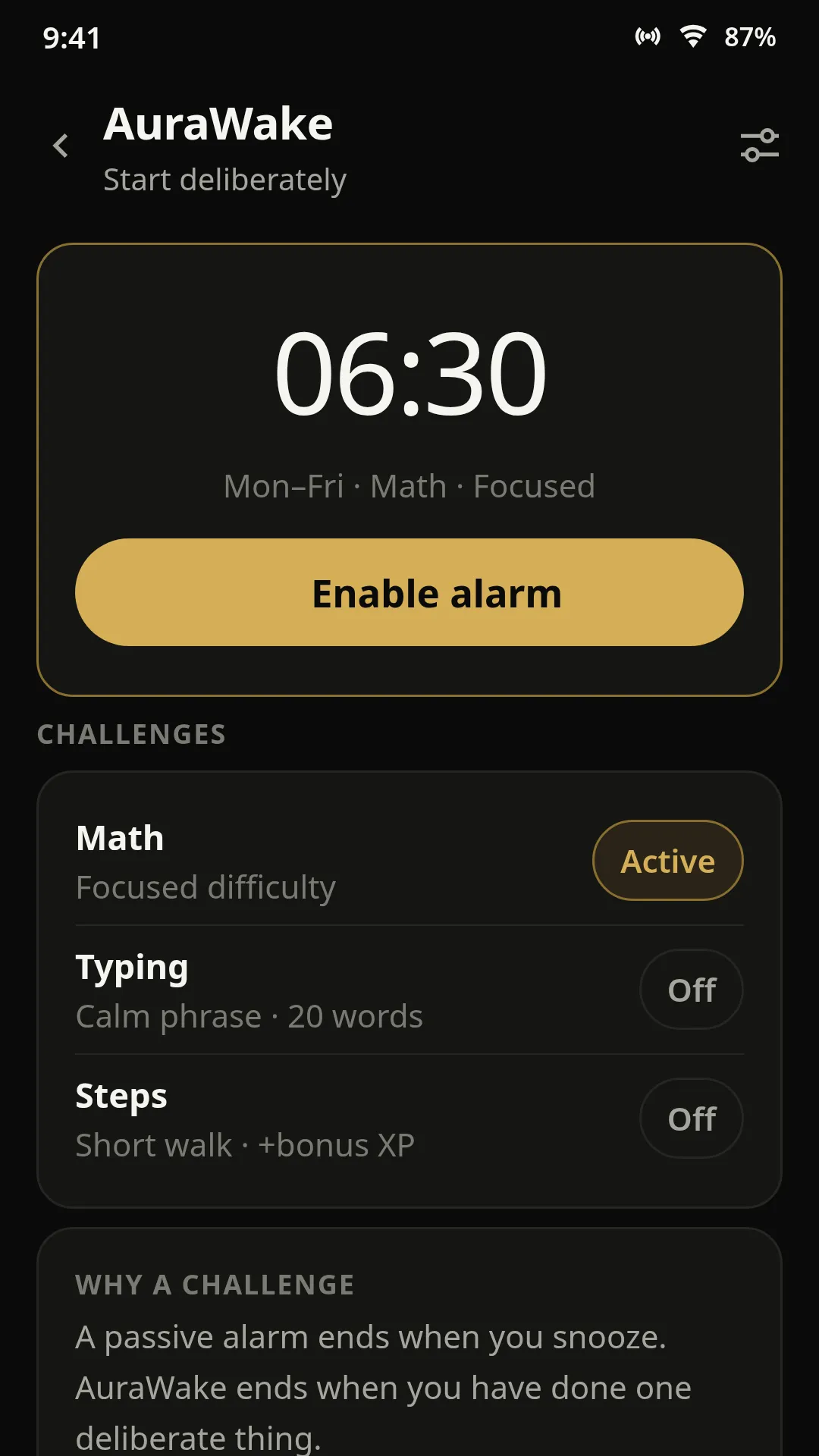
A 6:30 a.m. alarm that only shuts up after you solve a math problem or type a calm phrase — no snooze button.
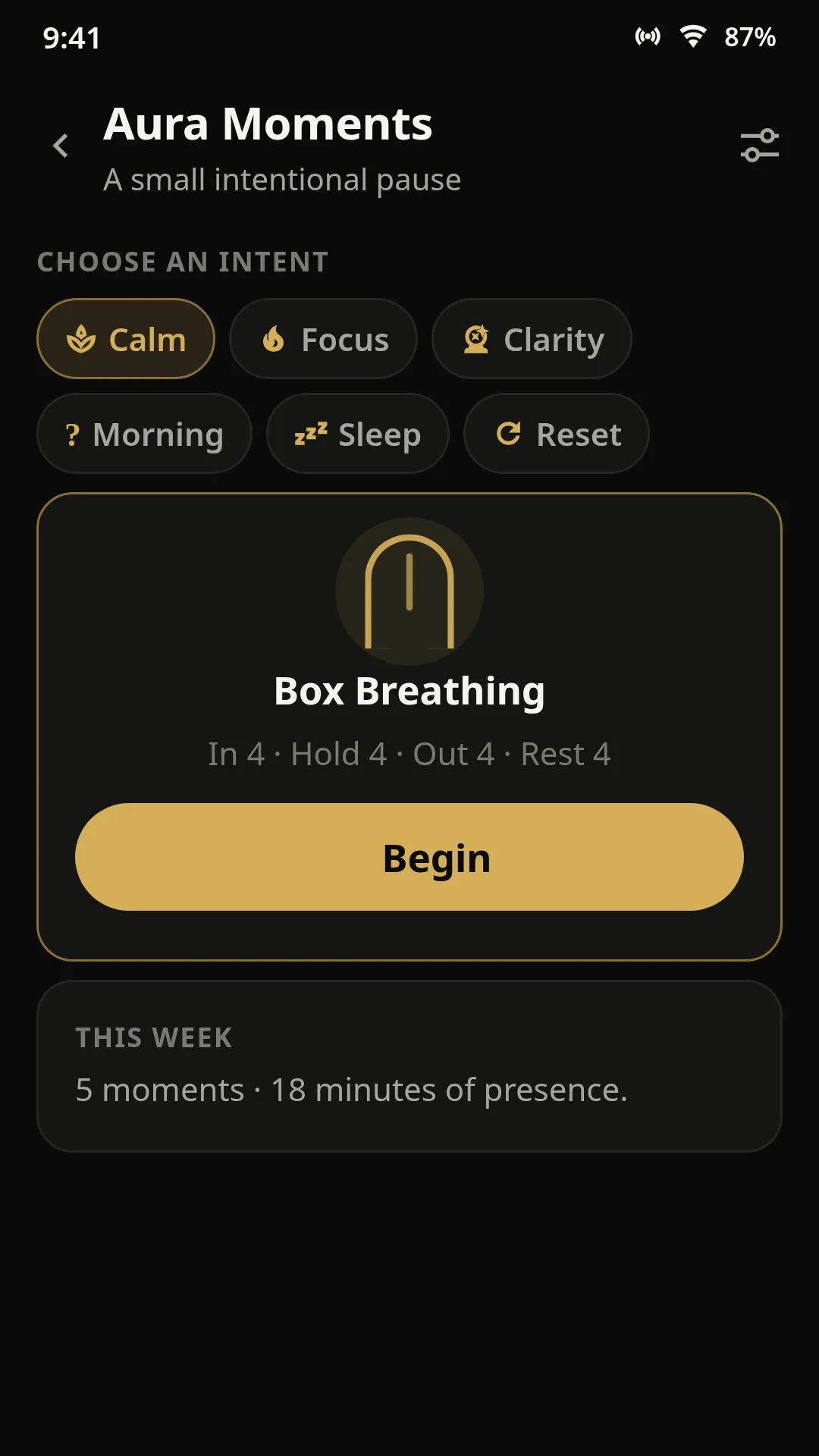
Three minutes of box breathing between work blocks, with a nudge to sit up straight before you continue.
Set a 2-hour daily focus target and watch the bar fill as your sessions complete — a 6-day streak keeps you honest.
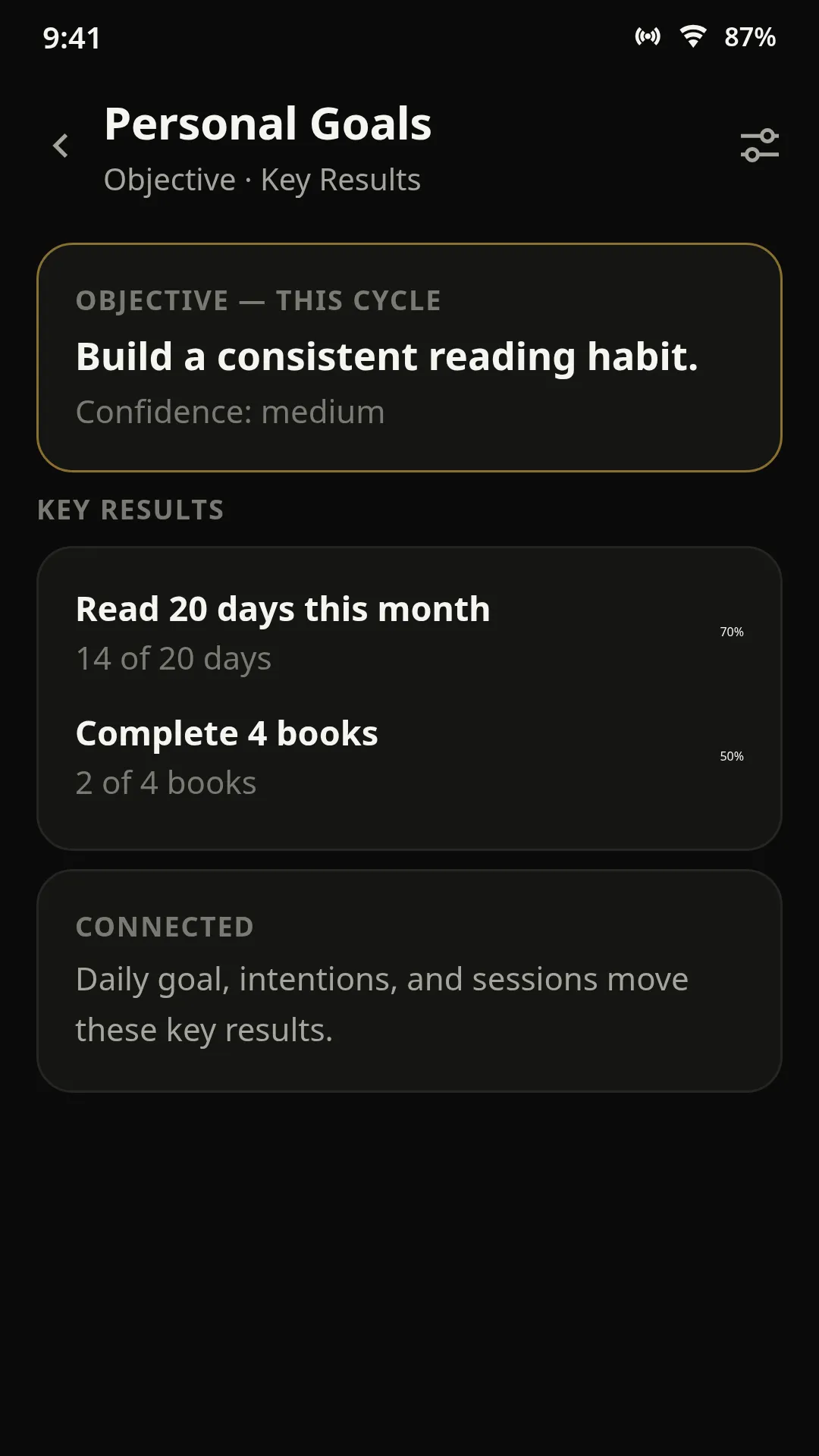
Give “ship the portfolio site” three key results, then check in every Friday to see which way the needle moved.
Type “start a 45-minute Deep Work Aura” and it builds and starts it — or ask it to pause the session or reschedule AuraWake. All on-device.
Schedule an Aura that starts itself — up to 24 hours of protected focus, weekend mornings included, without lifting a finger. It shows up on your lock screen and holds until the session ends (Standard: until you pause or exit).
Set Deep Work to begin every weekday at 9 a.m. Let Sleep take over at 10 p.m. The hours you say matter actually get protected.
Deep Work
Mon – Fri · 9:00 AM – 12:00 PM
Sleep
Daily · 10:00 PM – 7:00 AM
When a schedule comes due, choose: start automatically, or ask me first. The schedule runs on autopilot — but you are always the one in control.
Learn about schedulingYour Autopilot Aura is always visible. Open your phone and see exactly what is protected, how long remains, and which apps stay alive — right from the lock screen.

Autopilot turns your best intentions into automatic protection. Schedule your Deep Work for Saturday morning, your reading block for Sunday afternoon, or a full-day focus session — and let the Aura handle the rest.
Read the Autopilot guideChoose: start automatically, or ask me first. Either way the boundary begins on schedule and holds until the session ends.
Your best hours deserve boundaries too. Schedule Autopilot for weekends when distraction is highest and focus matters most.
See your active Autopilot Aura directly on your lock screen — the timer, the apps staying alive, and the time remaining.
Real reviews from Play Store reviewers and beta users — shared with permission.
“I used to "check" my phone 80 times a day. Now I protect real deep-work blocks. It is not about fighting apps anymore — it is about choosing what stays alive.”
“The journal and streaks turned a timer into an actual practice. I can watch my focus improve week over week, and that is what keeps me going.”
“Strict Aura saved my thesis deadline. When only the apps I need are alive inside the Aura, there is nothing left to fight against.”
“Family evenings are finally phone-free. WhatsApp and Maps stay alive for logistics, everything else waits outside until the kids are asleep.”
The quick answers — no fine print.
Practical writing on intentional phone use — and how to make focus a habit that lasts.
Aura Assistant is a conversational helper inside AuraLock — fully on-device, no cloud AI. Here is what it actually does and where it stops.
Read articleOKRs are not just for companies. A personal version helps you connect daily actions to the direction you want your life to move.
Read articleThe first minutes after waking set the tone for the rest of the day. A few calm, deliberate choices in that window can matter more than another hour of sleep.
Read articleInstall AuraLock and create your first Aura in minutes. Free forever, no account, no subscription. Earn Focus XP, level up, and unlock longer sessions, more apps, and custom themes.
Free forever · No subscription
Focus XP
Level 3 · 72 XP
Uninstall anytime. Your data never left your phone.